900+ Student SucessfullyPlaced In last 15 Years

Institute वही जो Job दिलाये !

Best Power BI training Institute in Kirari

RKCE is the top choice for Power BI training in Kirari, offering hands-on learning with industry experts. Our course covers everything from basics to advanced topics like creating dashboards, DAX functions, and integrating Power BI with tools like Excel and SQL.

With flexible schedules, affordable fees, and certification support, we prepare you for a successful career in data analytics and business intelligence. Enroll at RKCE today and master Power BI!

Why Choose RKCE for Power BI ?

Expert Faculty

Learn from industry professionals with extensive real-world experience.

Practical Training

Real-world projects for hands-on skill building.

Affordable Fees

Quality training at competitive and accessible prices.

Industry-Relevant Curriculum

Courses designed to meet the latest trends and demands of the digital marketing industry.

Top Power BI Institute in Kirari?


RKCE is the top Power BI training institute in Kirari, offering a comprehensive course designed to equip students with advanced data visualization and business intelligence skills. Our expert-led program focuses on practical learning, covering everything from Power BI basics to creating interactive dashboards, mastering DAX functions, and integrating Power BI with tools like Excel and SQL. With flexible timings, affordable fees, and certification support, RKCE ensures students are job-ready for roles in data analytics and business intelligence. Join RKCE today to elevate your career with Power BI!

Power BI Course Details


RKCE offers a comprehensive Power BI course designed to equip students with in-demand skills in data visualization and business intelligence. The course starts with the basics of Power BI, including data importing, cleaning, and transformation. Students then progress to creating interactive dashboards and reports that provide actionable insights. Advanced topics like DAX functions, data modeling, and Power BI integration with Excel and SQL are also covered. Our program emphasizes practical learning through real-world projects, ensuring students gain hands-on experience. With affordable fees, flexible schedules, and certification support, RKCE prepares students for successful careers in roles like Data Analyst and Business Intelligence Developer. Join RKCE and unlock the power of data with Power BI!

Job Oppurtunities

Data Analyst

Reporting Analyst

Data Scientist

What You Will Learn

  • Overview of Power BI and its components
  • Installation and setup of Power BI Desktop
  • Importing data from various sources (Excel, SQL, web, etc.)
  • Cleaning and transforming data with Power Query
  • Creating relationships between tables
  • Understanding data hierarchy and normalization
  • Managing calculated columns and measures
  • Introduction to DAX functions
  • Using calculated fields, measures, and time intelligence
  • Building interactive dashboards and reports
  • Using different chart types, KPIs, and slicers
  • Best practices for effective data visualization
  • Publishing reports to Power BI Service
  • Creating and managing workspaces
  • Collaborating and sharing dashboards
  • Connecting Power BI with Excel, SQL Server, and other tools
  • Real-time data analysis with Power BI Gateway
  • Custom visuals and R/Python integration
  • Paginated reports and Power BI Report Builder
  • Managing Power BI deployments
  • Configuring data refresh schedules and security settings
  • Hands-on projects to apply learning
  • Industry-specific case studies and problem-solving

FAQs

1. What are some of the most commonly used Advanced Excel functions?

Some popular Advanced Excel functions include:

  • VLOOKUP & HLOOKUP: For searching and retrieving data.
  • INDEX & MATCH: For flexible lookups.
  • SUMIFS & COUNTIFS: For conditional summing and counting.
  • IF, AND, OR: For logical tests and decision-making.
  • Pivot Tables: For summarizing and analyzing large datasets.
  • Macros & VBA: For automating repetitive tasks.
2. How can I use Excel to analyze large datasets?

You can use several tools and techniques in Excel to analyze large datasets, such as:

  • Pivot Tables: Quickly summarize and extract insights.
  • Data Validation & Conditional Formatting: Highlight specific data points.
  • Advanced Filtering & Sorting: Organize and refine data.
  • Power Query & Power Pivot: For data modeling and handling big data.
3. What are Excel Macros, and how do they work?

Excel Macros are a series of automated commands or actions that can be recorded to perform repetitive tasks quickly. They are created using Excel’s built-in Macro Recorder or by writing VBA (Visual Basic for Applications) code. Macros help save time by automating routine processes like data entry, formatting, and report generation.

4. How can learning Advanced Excel skills benefit my career?

Proficiency in Advanced Excel can significantly boost your career by enhancing your data management, analysis, and reporting skills. It is a highly valued skill in industries like finance, accounting, marketing, human resources, and operations management. Mastering Excel can lead to better job opportunities, promotions, and higher salaries.

5. What is the difference between Excel formulas and Excel functions?

Excel formulas are user-defined expressions that perform calculations using cell references, operators, and functions (e.g., =A1+B2). Functions, on the other hand, are pre-built Excel commands designed to perform specific tasks (e.g., SUM(), AVERAGE(), VLOOKUP()). Formulas can combine multiple functions to create complex calculations, making them powerful tools for data analysis.

OUR Testimonial

— Rajesh Kumar
— Rajesh Kumar
Read More
The Advanced Excel course at RKCE was incredibly valuable! The practical sessions helped me master complex formulas and data analysis, boosting my productivity at work.
— Megha Sharma
— Megha Sharma
Read More
I had a fantastic experience learning Advanced Excel at RKCE. The step-by-step guidance and real-world case studies made it easy to understand even the most complex functions.
— Amit Singh
— Amit Singh
Read More
Thanks to RKCE’s Advanced Excel course, I am now proficient in data management and reporting. It’s a must-do course for anyone looking to excel in their career.
Previous
Next
— Nidhi Verma
— Nidhi Verma
Read More
RKCE’s training in Advanced Excel is top-notch! The instructors are experts and explain everything clearly. I now feel confident using Excel for financial analysis.
— Vivek Patel
— Vivek Patel
Read More
I highly recommend the Advanced Excel course at RKCE. The practical exercises and real-time projects made me proficient in using Excel for business analytics.
— Sakshi Tiwari
— Sakshi Tiwari
Read More
I highly recommend the Advanced Excel course at RKCE. The practical exercises and real-time projects made me proficient in using Excel for business analytics
Previous
Next
— Deepak Mehta
— Deepak Mehta
Read More
RKCE’s course transformed the way I use Excel at work. The knowledge of macros and automation has saved me so much time on repetitive tasks.
— Priya Malhotra
— Priya Malhotra
Read More
Learning Advanced Excel at RKCE was a great investment in my career. The course content was comprehensive, and the trainers were highly supportive
— Anita Pandey
— Anita Pandey
Read More
The skills I gained from the Advanced Excel course at RKCE are invaluable. I can now handle large datasets and generate insightful reports effortlessly.
Previous
Next

Master Excel Skills in 30 Days – RKCE Institute Near Karan Vihar

Master Excel Skills in 30 Days at RKCE Institute Near Karan Vihar. Learn Advanced Excel with practical training, certification, and career-focused skills to boost your job opportunities.


In today’s competitive job market, having strong computer skills is no longer optional—it’s essential. Among all digital tools, Microsoft Excel stands out as one of the most powerful and widely used applications across industries. Whether you’re a student, job seeker, or working professional, mastering Excel can significantly boost your career opportunities. with Master Excel Skills

If you are looking to Master Excel Skills in 30 Days Near Karan Vihar, RKCE Institute offers one of the most practical and career-oriented training programs designed to turn beginners into Excel experts within a month.


Why Excel Skills Are Important in 2026
Master Excel Skills
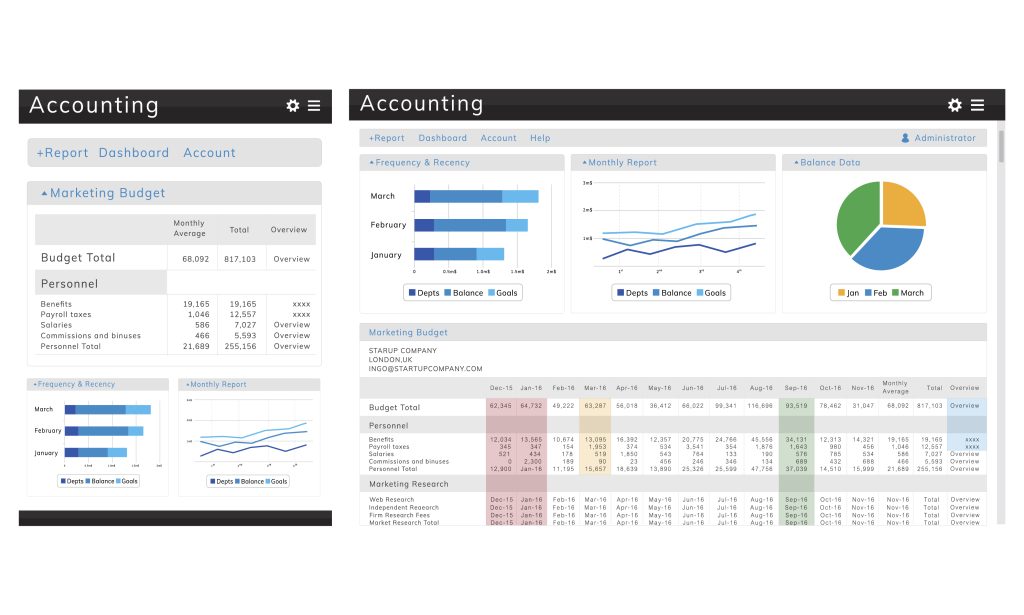
Illustration of data analysis graph

Excel is used in almost every industry—finance, marketing, data analysis, administration, and even small businesses. Companies rely on Excel for:

  • Data management
  • Reporting and dashboards
  • Financial analysis
  • Inventory tracking
  • Automation using formulas and macros

Without Excel skills, you’re limiting your job potential. With advanced Excel knowledge, you can apply for roles like:

  • Data Entry Operator
  • MIS Executive
  • Data Analyst
  • Accountant
  • Office Administrator

This is why enrolling in a Master Excel Skills in 30 Days Near Karan Vihar course is a smart investment.


About RKCE Institute

Master Excel Skills

RKCE Institute has built a strong reputation for providing quality computer education with a focus on practical learning. Located conveniently near Karan Vihar, the institute is known for:

  • Experienced trainers
  • Industry-relevant curriculum
  • Hands-on practice sessions
  • Affordable fees
  • Job-oriented training

Unlike many institutes that focus only on theory, RKCE ensures students actually understand how Excel is used in real-world scenarios.


What You Will Learn in 30 Days

The biggest mistake people make is thinking Excel is just about basic calculations. The RKCE course goes far beyond that.

1. Excel Basics (Foundation)

You’ll start with the fundamentals:

  • Interface and navigation
  • Data entry and formatting
  • Basic formulas (SUM, AVERAGE, COUNT)
  • Creating simple spreadsheets

This builds the base for advanced learning. and Master Excel Skills.


2. Intermediate Excel Skills

Once your basics are clear, you move to:

  • Conditional formatting
  • Data validation
  • Sorting and filtering
  • Charts and graphs

At this stage, you begin to work more efficiently with data.


3. Advanced Excel Training

This is where real value comes in. RKCE focuses heavily on:

  • VLOOKUP & HLOOKUP
  • Pivot Tables & Pivot Charts
  • IF, Nested IF, Logical Functions
  • INDEX & MATCH
  • Data analysis tools

These are the exact skills companies expect today.


4. Excel Automation & Macros

Most institutes skip this—but RKCE includes it:

  • Introduction to Macros
  • Automating repetitive tasks
  • Recording and editing macros

This can save hours of work and gives you a serious edge in job interviews.


Why Choose RKCE Institute Near Karan Vihar

Let’s be honest—there are many computer institutes. Most of them are average. Here’s why RKCE stands out: Master Excel Skills

Practical Training Over Theory

You won’t just listen—you’ll actually practice every concept.

Small Batch Size

More attention from trainers means faster learning.

Job-Oriented Approach

The course is designed based on real job requirements, not outdated syllabus.

Affordable Fees

You don’t need to spend thousands unnecessarily.

Local Accessibility

Being near Karan Vihar, it’s easy to attend classes regularly.


Can You Really Master Excel in 30 Days?

Let’s clear the hype.

You won’t become a “data scientist” in 30 days. Anyone claiming that is lying.

But yes—you can become job-ready in Excel within 30 days if:

  • You attend classes regularly
  • Practice daily
  • Focus on real tasks instead of just theory

RKCE’s structured approach makes this realistic.


Who Should Join This Course?

This course is ideal for:

Students

Want to improve employability after school or college.

Job Seekers

Looking for skills that can help land a job quickly.

Working Professionals

Want to upgrade skills and increase salary.

Business Owners

Need better control over data and finances.

If you fall into any of these categories, enrolling in a Master Excel Skills in 30 Days Near Karan Vihar program is a smart move.


Career Opportunities After Completing the Course

After completing the course, you can apply for roles such as:

  • MIS Executive
  • Data Entry Operator
  • Back Office Executive
  • Excel Operator
  • Junior Data Analyst

With experience, you can move to higher-paying roles in data analysis and business intelligence.


Salary Expectations

Let’s be realistic.

  • Fresher (with Excel skills): ₹12,000 – ₹20,000/month
  • With 1–2 years experience: ₹25,000 – ₹40,000/month
  • Advanced level (data roles): ₹50,000+

Excel is often the entry point to higher-paying tech roles.


Tips to Learn Excel Faster

If you want results in 30 days, follow this:

  • Practice daily (at least 1–2 hours)
  • Focus on real-world tasks
  • Don’t memorize—understand logic
  • Use shortcuts to improve speed
  • Revise regularly

Most people fail because they don’t practice enough—not because Excel is difficult.


Common Mistakes to Avoid

Let’s be blunt—people waste time doing this:

  • Only watching tutorials without practice
  • Ignoring advanced functions
  • Skipping revision
  • Expecting instant mastery

If you do this, even 3 months won’t help you.


Why Local Training Still Matters

You might think: “Why not just learn from YouTube?”

Here’s the reality:

  • No structured learning
  • No doubt solving
  • No real projects
  • No accountability

At RKCE Institute near Karan Vihar, you get:

  • Guidance
  • Discipline
  • Real practice
  • Faster progress

That’s the difference between learning casually and becoming job-ready.

Leave a Comment

Scroll to Top