In today’s digital world, having a strong online presence is important for businesses, educational institutions, startups, professionals, and even individuals. A website often becomes the first place where people learn about a business or service. This is where Website Designing plays an important role. A well-designed Website Designing can make a business look professional, improve user experience, and help visitors find the information they need quickly.
Website Designing is the process of planning, designing, and creating the visual structure and user experience of a website. It involves elements such as layout, colors, typography, images, navigation, buttons, content placement, and responsive design. A professional web designer focuses not only on making a website attractive but also on making it easy to use on different devices.
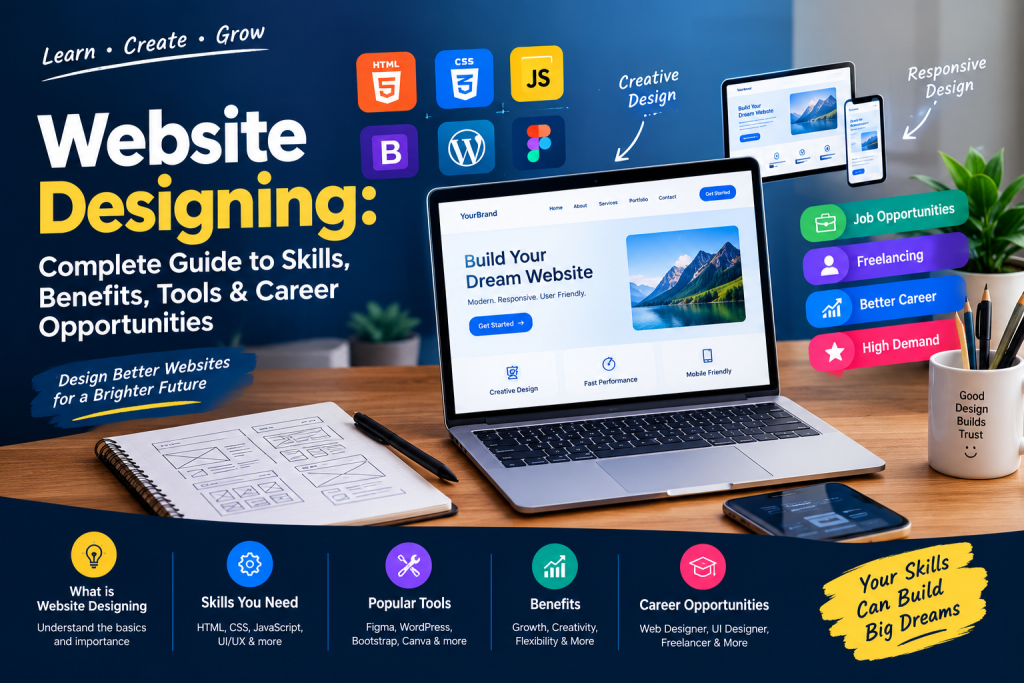
What is Website Designing?
Website Designing refers to the process of creating the appearance, layout, and overall user experience of a website. It combines creativity and technical knowledge to build web pages that are visually appealing, easy to navigate, and functional.
A website designer works with different elements such as:
- Website layout
- Colors and branding
- Fonts and typography
- Images and graphics
- Navigation menus
- Buttons and forms
- Mobile responsiveness
- User interface
- Website content structure
The main objective of Website Designing is to create a website that provides a smooth experience to visitors while communicating the purpose of a business, organization, or individual.
Why is Website Designing Important?
A website is more than just a collection of web pages. It represents the identity of a business on the internet. Good Website Designing can influence how visitors understand and interact with a brand.
1. Creates a Professional First Impression
Visitors can form an opinion about a business within a few seconds of opening its website. A clean and modern design can create a professional impression and encourage users to explore more pages.
2. Improves User Experience
Good Website Designing makes information easier to find. Clear menus, readable text, proper spacing, and logical page structures help visitors navigate a website comfortably.
3. Supports Mobile Users
A large number of people access websites through smartphones and tablets. Responsive ensures that the website automatically adjusts according to different screen sizes.
4. Builds Brand Identity
Colors, fonts, images, logos, and design elements can help establish a consistent brand identity. Professional Website Designing keeps these elements consistent across different pages.
5. Helps Generate Leads
A website can be used to generate enquiries, calls, registrations, bookings, and sales. Proper placement of forms and call-to-action buttons can guide visitors toward taking action.
Important Skills Required for Website Designing
Anyone interested in should develop both creative and technical skills. Some of the most important skills include:
HTML
HTML, or HyperText Markup Language, is used to create the basic structure of web pages. It helps designers organize headings, paragraphs, images, links, forms, and other website elements.
CSS
CSS, or Cascading Style Sheets, is used to control the appearance of a website. With CSS, designers can manage colors, fonts, spacing, layouts, animations, and responsive designs.
JavaScript
JavaScript adds interactive features to websites. It can be used for sliders, menus, pop-ups, form validation, animations, and other dynamic functions.
Responsive Design
Responsive design is an essential part of modern Website Designing. A responsive website should work properly on desktops, laptops, tablets, and smartphones.
UI Design
UI means User Interface. It focuses on the visual elements that users interact with, including buttons, menus, forms, cards, icons, and navigation.
UX Understanding
UX means User Experience. A designer should understand how users interact with a website and make the overall experience simple and convenient.
Popular Tools Used in Website Designing
Modern Website Designing involves several tools and platforms. Beginners can start with basic coding tools and gradually learn advanced software.
Some commonly used tools include:
- Visual Studio Code
- Adobe Photoshop
- Figma
- Canva
- WordPress
- Bootstrap
- HTML
- CSS
- JavaScript
Figma is useful for creating website layouts and UI prototypes, while Canva can help create graphics and visual content. WordPress is widely used for creating websites without writing every part of the code manually.
Website Designing vs Website Development
People often use the terms Website Designing and Website Development together, but they are not exactly the same.
Website Designing primarily focuses on the visual appearance, layout, user interface, and user experience of a website.
Website Development focuses more on programming, functionality, databases, server-side operations, and technical implementation.
For example, a designer may create the layout of an online shopping website, including product cards, menus, colors, and buttons. A developer may then create the functionality required for login, shopping carts, payments, and order management.
Learning both areas can provide a broader understanding of how websites are created.
Benefits of Learning Website Designing
Learning Website Designing can provide useful skills for students, freelancers, business owners, and professionals.
1. Career Opportunities
Web designers can explore opportunities in IT companies, digital marketing agencies, startups, educational organizations, e-commerce companies, and other businesses.
2. Freelancing Opportunities
Website designing skills can also be used for freelance projects. Designers can work with clients who need business websites, landing pages, portfolio websites, blogs, or e-commerce websites.
3. Business Website Creation
Business owners can learn Website Designing to understand how websites work and create or manage basic websites for their businesses.
4. Creative Career
Web design combines creativity with technology. People who enjoy graphic design, layouts, colors, and technology can explore web design as a career option.
5. Work on Multiple Projects
A web designer can work on different types of websites, including:
- Business websites
- Portfolio websites
- Educational websites
- E-commerce websites
- Blogging websites
- Landing pages
- Service websites
- Personal websites
How to Learn Website Designing?
If you are a beginner, you can follow a step-by-step learning process.
First, understand the basics of HTML and learn how web pages are structured. After HTML, learn CSS to design and style your pages.
Next, learn responsive design so your websites work properly on mobile devices. After that, you can learn JavaScript to add interactive features.
Once you understand these basics, explore tools such as Figma, Canva, Bootstrap, and WordPress. Building real projects is one of the most useful ways to improve your Website Designing skills.
You can start with simple projects such as a personal portfolio, business homepage, restaurant website, education website, or product landing page.
Website Designing Course: What Can You Learn?
A practical Website Designing Course can cover both fundamental and advanced concepts. Depending on the institute and course level, students may learn:
- HTML and HTML5
- CSS and CSS3
- Responsive website design
- Bootstrap
- Basic JavaScript
- WordPress
- Website layout creation
- UI/UX fundamentals
- Canva and graphic design
- Website hosting basics
- Domain and hosting concepts
- Landing page design
- Basic SEO
- Practical website projects
A practical approach can help students understand how concepts are applied to real websites.
Career Opportunities After Website Designing
After developing website design skills, learners can explore different career paths. Some common roles include:
Web Designer
A web designer creates website layouts and focuses on visual appearance and user experience.
UI Designer
A UI designer focuses on designing interfaces, buttons, menus, forms, cards, and other interactive elements.
WordPress Designer
WordPress designers create and customize websites using WordPress themes, plugins, page builders, and custom design techniques.
Front-End Designer
Front-end professionals work on the part of a website that users see and interact with. HTML, CSS, and JavaScript are commonly used in this area.
Freelance Web Designer
Freelancers can provide website design services directly to clients and businesses.
How Much Can a Web Designer Earn?
Income in Website Designing can vary depending on experience, skills, location, company, project type, and employment model. Beginners may start with entry-level positions, while experienced designers can work on larger projects or freelance contracts.
Instead of focusing only on salary, beginners should build strong practical skills, create a portfolio, and gain experience through real projects. A good portfolio can demonstrate your ability to design different types of websites.
Tips for Becoming a Successful Website Designer
If you want to build a career in Website Designing, consider these tips:
- Learn HTML and CSS properly.
- Practice creating different website layouts.
- Understand responsive design.
- Learn basic UI/UX principles.
- Build your own portfolio website.
- Study modern website design trends.
- Learn WordPress and popular design tools.
- Work on real-world projects.
- Improve your communication skills.
- Keep learning new technologies.
Practice is particularly important because website design is a skill-based field. The more projects you create, the better you can understand layouts, spacing, typography, responsiveness, and user experience.
Conclusion
Website Designing has become an important digital skill because businesses and organizations increasingly depend on websites to connect with customers and audiences. From creating attractive layouts to improving user experience and mobile responsiveness, web design involves a combination of creativity and technology.
Students and beginners can start with HTML and CSS, then gradually learn JavaScript, responsive design, WordPress, UI/UX, and modern design tools. Creating practical projects and maintaining a strong portfolio can help learners demonstrate their skills.
Whether you want to pursue a job, freelancing, or create websites for your own business, learning Website Designing can provide a useful foundation for working in the digital industry.
